

Introduction
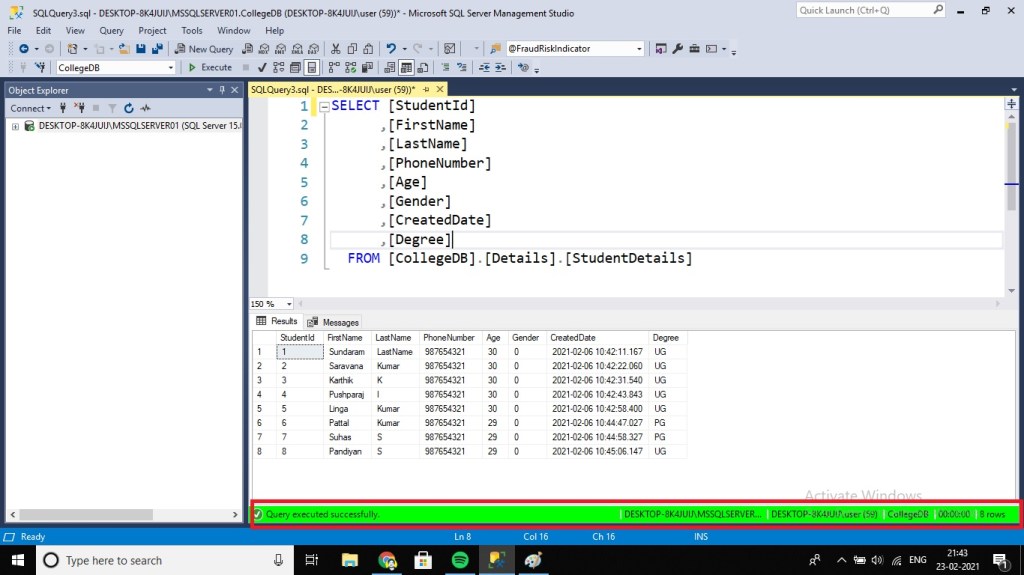
Generally we have to shift between different environments within SQL Server Management Studio, as Dev Environment, Staging, Production, resulting in the creation of multiple query tabs. With each query tab connected to different environments. This leads to unmanageable sometimes and difficult to keep track of each environment. To resolve this confusion, SSMS provides us with an ability to set different colors for connection to separate environments. The color is displayed in the SSMS status bar, at the bottom of the window.
Set Custom Colors
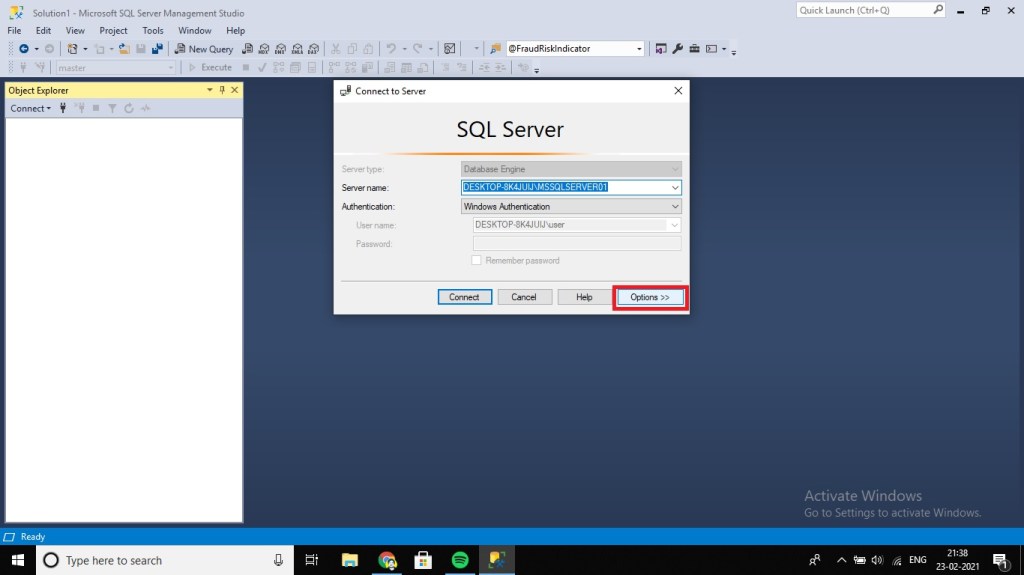
- Connect to a SQL Server instance and click on the Options button.
- Then click on the ‘Connection Properties’ tab and you can choose a custom color for your environment
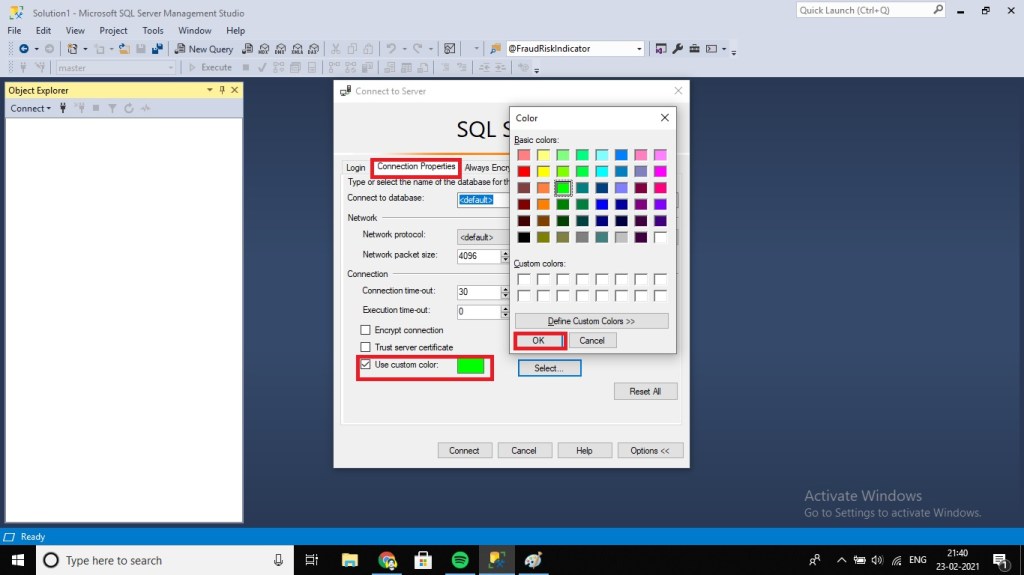
Once you select a color for an environment, every time you login to that SQL Server instance, it will display the same color in the SSMS status bar. It’s always nice to have a visual indication of the environment you are logged in.
For my Development Environment I have set Green Color and when I open the query window, the status bar’s color will be in green color.
Conclusion
In this article, we have discussed about setting color to our SQL Instance Environment. I hope this tips was very useful. Lets discuss some other tips in upcoming articles. Please share your feedback in the comment section.
Consider reading other SQL articles of Mine
- Recover unsaved SQL queries in SSMS
- Multiple Backup Files of the SQL Server database with SSMS and T-SQL
- Difference between CURRENT_TIMESTAMP vs GETDATE() vs SYSDATETIME() vs GETUTCDATE() in SQL Server
- Change Schema Name of Table in MS SQL Server
- Identifying object dependencies in SQL Server using SP_DEPENDS
- Select Names Starting With Vowels in MS SQL Server
- Display Line Numbers in a SQL Server Management Studio Query Window (SSMS)
 Learn With Sundar
Leave a reply to Schema Comparisons using Visual Studio SQL Data Tools – Learn With Sundar Cancel reply